Your projects.
One hop away.

Pick a project icon, type an issue or pull request number, and open the right page—without digging through tabs.
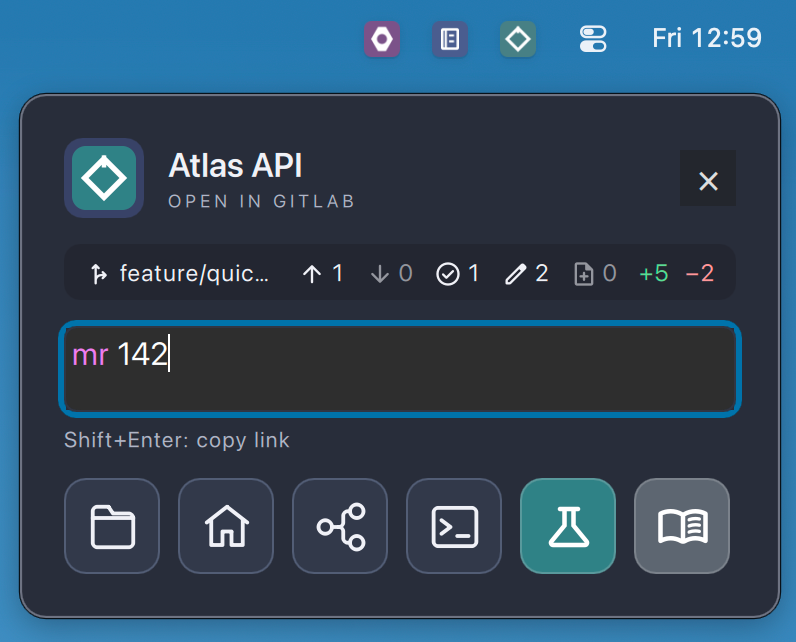
The Atlas API popup open below its icon in the macOS menu bar. The field reads mr 142, with mr highlighted as a recognized shortcut. Above it, Git status for branch feature/quick-launch; below it, six Quick Action buttons.
Atlas API, opened from its menu-bar icon on macOS
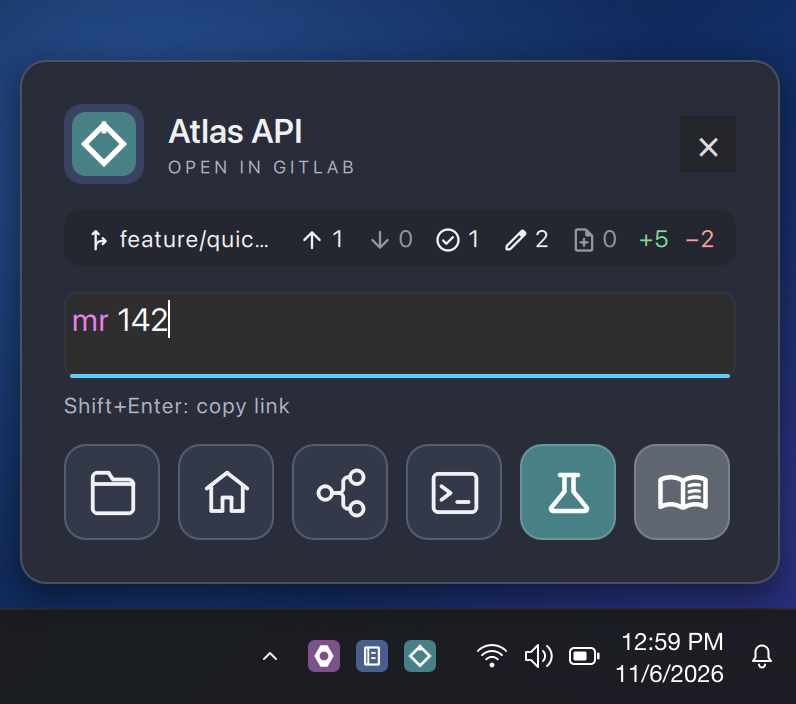
The Atlas API popup open above its icon in the Windows notification area. The field reads mr 142, with mr highlighted as a recognized shortcut. Above it, Git status for branch feature/quick-launch; below it, six Quick Action buttons.
Atlas API, opened from its notification-area icon on Windows

What stays close

The useful edges of a project, kept with the project.

GitQuick is a focused launcher, not a second project-management system. The popup shows a little local context and keeps the routes and tools you already use within reach.

  1. 01
    Local Git status

    Branch, push and pull counts, and changed files, read from the project's local folder.

  2. 02
    Provider-aware shortcuts

    Words like pipelines, wiki, or mr are recognized as you type and routed for GitLab, GitHub, or Azure DevOps.

  3. 03
    Copy instead of open

    Shift+Enter copies the link rather than opening it.

  4. 04
    Your Quick Actions

    The project's folder, home page, pipelines, a terminal, or actions you've added yourself.
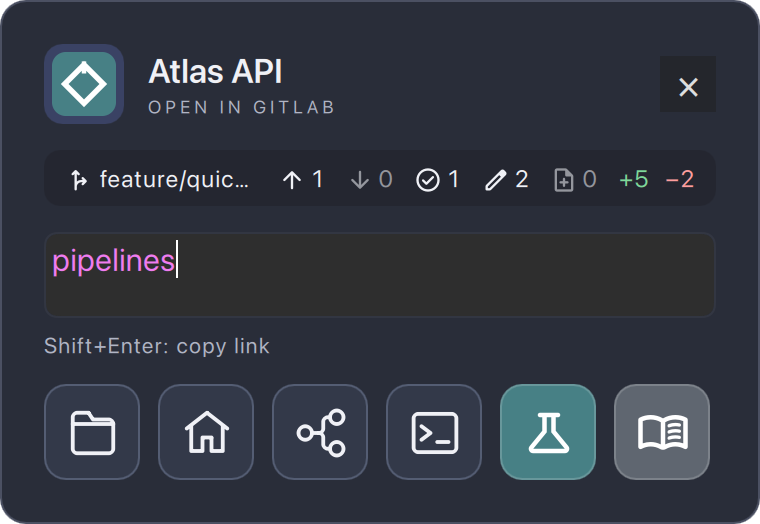
The Atlas API popup with pipelines typed and highlighted. The Git status row shows branch feature/quick-launch, 1 ahead, 0 behind, 1 staged, 2 modified, 0 untracked, plus 5 and minus 2 lines. Below the field: Shift+Enter: copy link, then Quick Actions for folder, homepage, pipelines, terminal, Run tests, and Open documentation.
Same project, different input. Numbers match the list.

Every project in one place

Customization to fit your workflow.

  • Its own tray iconUse the project's artwork, previewed at menu-bar size on light and dark backgrounds.
  • GitLab, GitHub, or Azure DevOpsPick the host and paste the project URL. Groups and subgroups are fine.
  • Local toolsAdd a local folder and a preferred editor to get Git status, terminal, and editor actions.
  • Routing overridesSend issues, pipelines, or wiki to a sister repository when that's where they live.
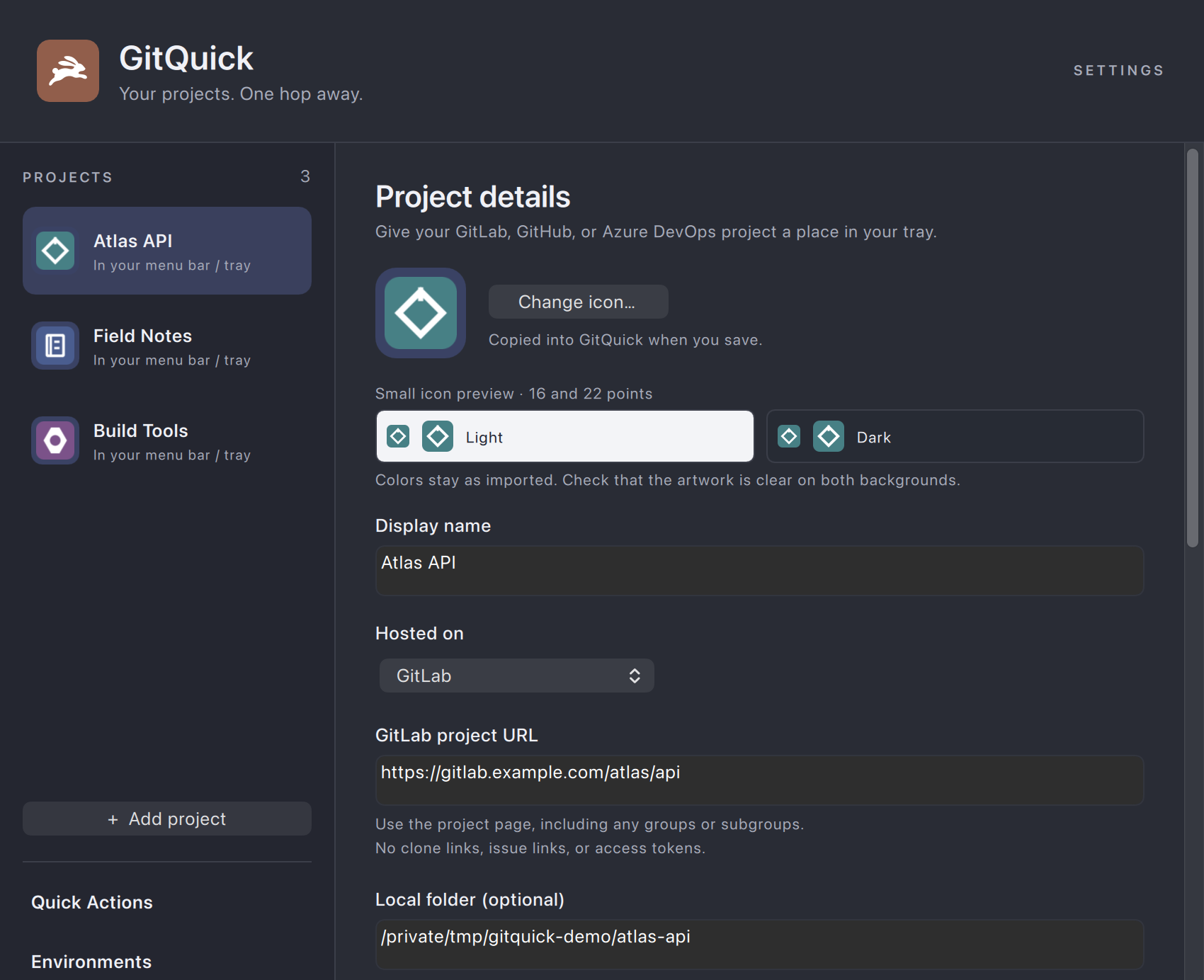
GitQuick Settings with three projects in the sidebar: Atlas API, Field Notes, and Build Tools. Atlas API is selected, showing its icon with small light and dark previews, display name, Hosted on GitLab, the project URL https://gitlab.example.com/atlas/api, and a local folder.
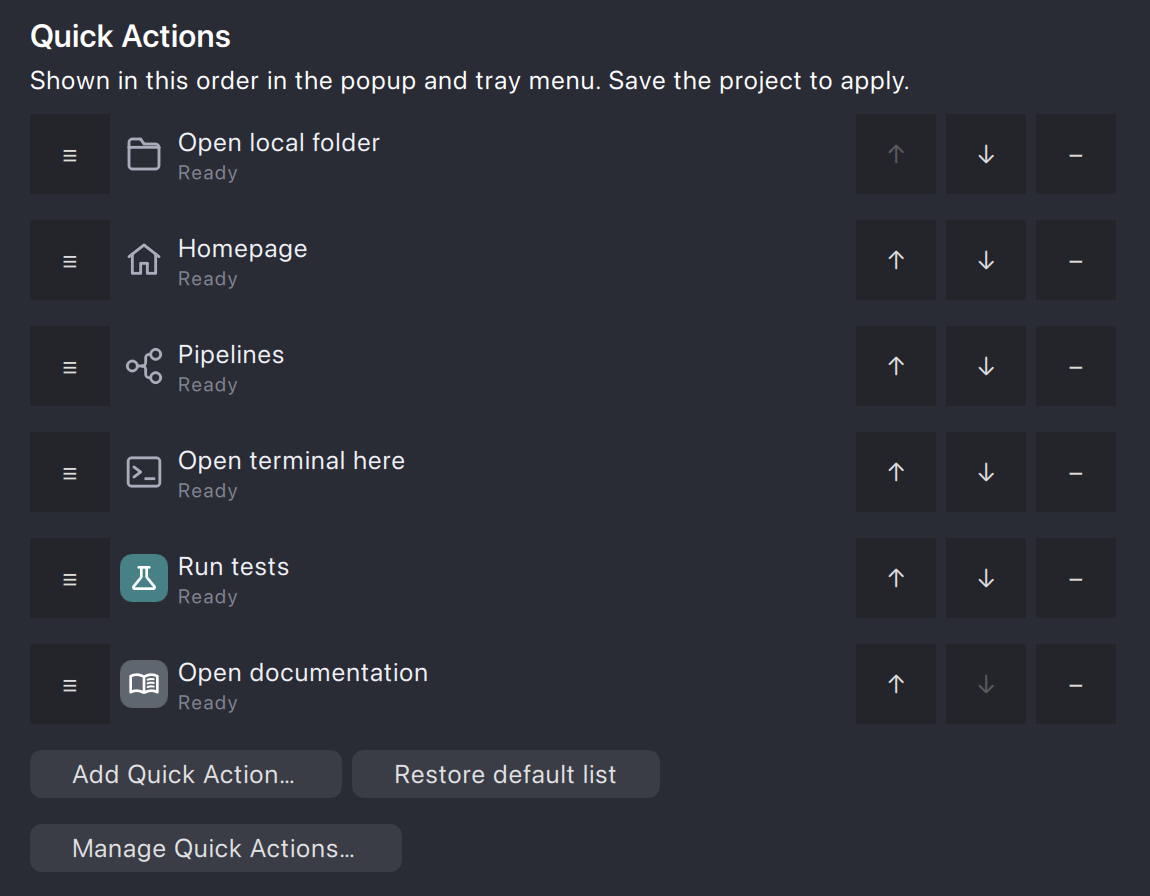
Atlas API's Quick Actions list in Settings, in order: Open local folder, Homepage, Pipelines, Open terminal here, Run tests, and Open documentation, each with move and remove buttons.

Quick Actions

One launcher. Unlimited options.

Quick Actions live in one shared library. Each project picks the ones it needs and their order, and they show up as buttons in its popup and as items in its tray menu.

Built in
Project home, pipelines, new issue, local folder, editor, terminal, VS Code, SourceTree, Qt Creator
Your own
Add actions such as Run tests or Open documentation, with their own icon and color

Downloads

Latest releases.

Desktop download

macOS

Release details have not been published yet.

Download not yet available

Desktop download

Windows

Release details have not been published yet.

Download not yet available

No release manifest is present in this development build.